
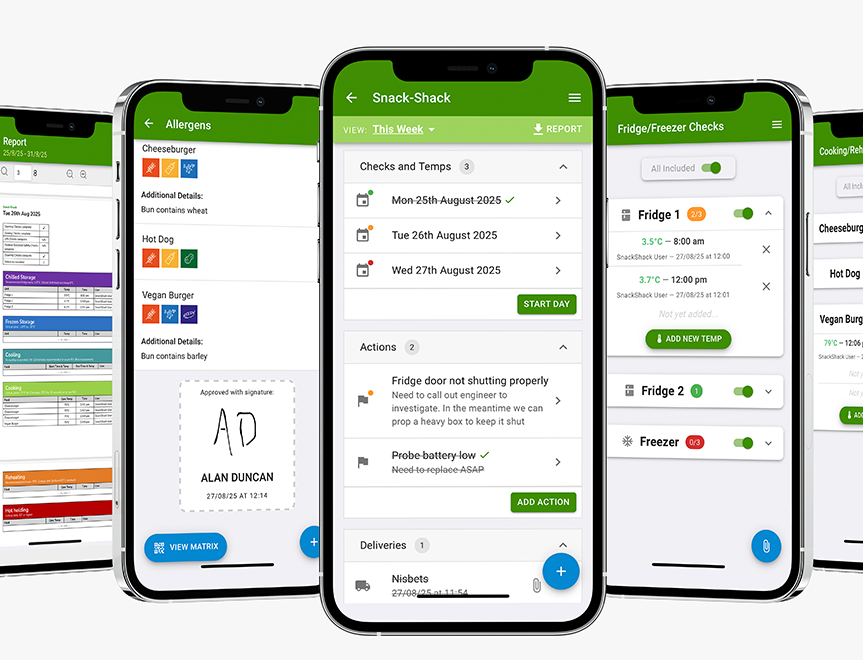
Digital Food Safety System
Save time, reduce hassle and keep your business inspection-ready.



We are proud of our partnership with Add to Event, and we want to make sure you are getting the most out of it.
As an NCASS member, it’s easy to showcase your credibility to potential clients who find you on Add to Event by adding the NCASS badge to your profile.
Instant Credibility: The NCASS badge on your profile signals to customers that you are a verified professional who has passed rigorous checks.
Stand Out: It helps you differentiate your business from non-verified suppliers.
Educate Customers: Soon, your badge will link directly to a dedicated article explaining exactly why being an NCASS member makes you a safer, more trustworthy choice for their event.
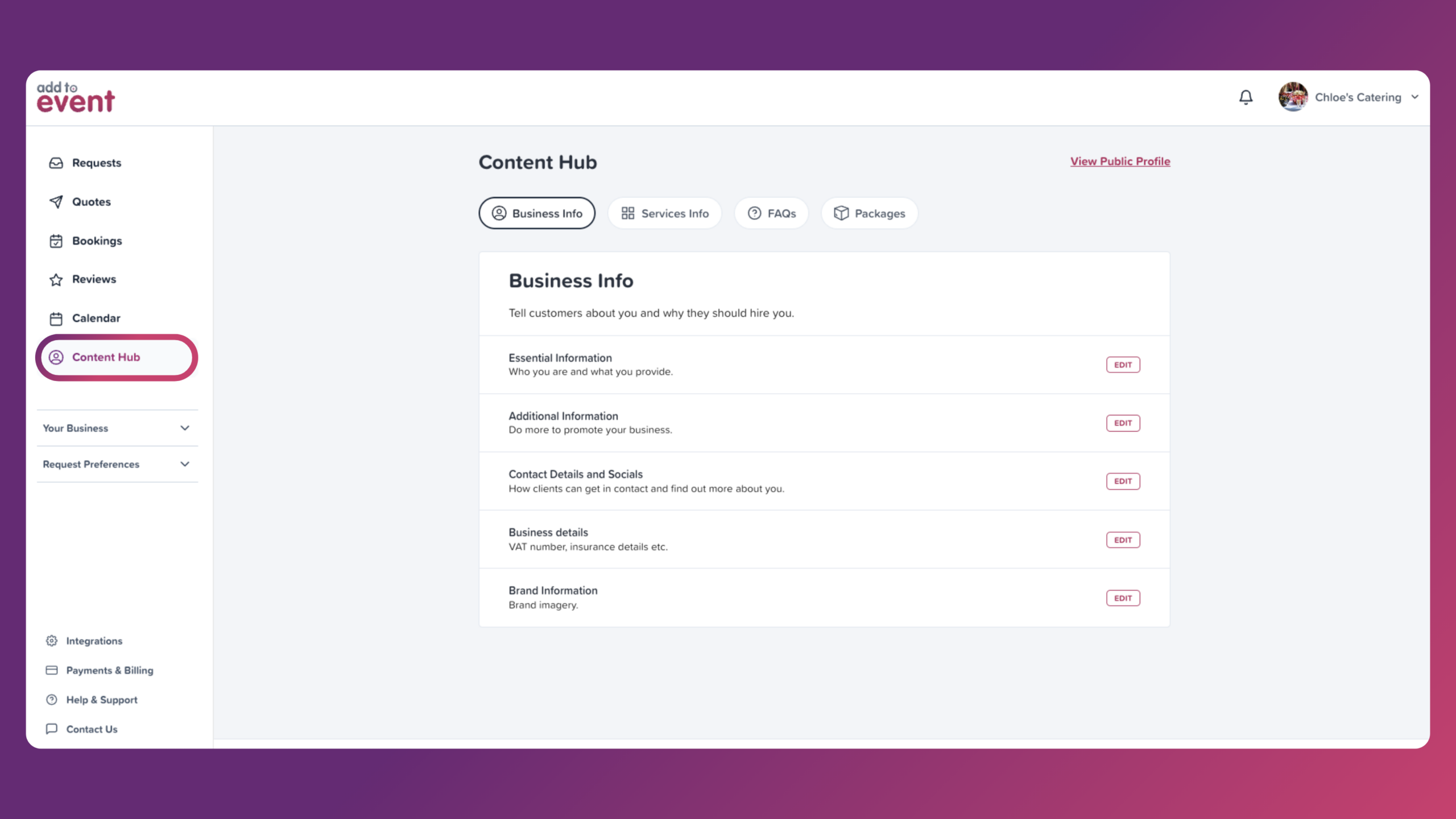
1. Login to your Add to Event account.
2. Click on “Content Hub” in the main menu.
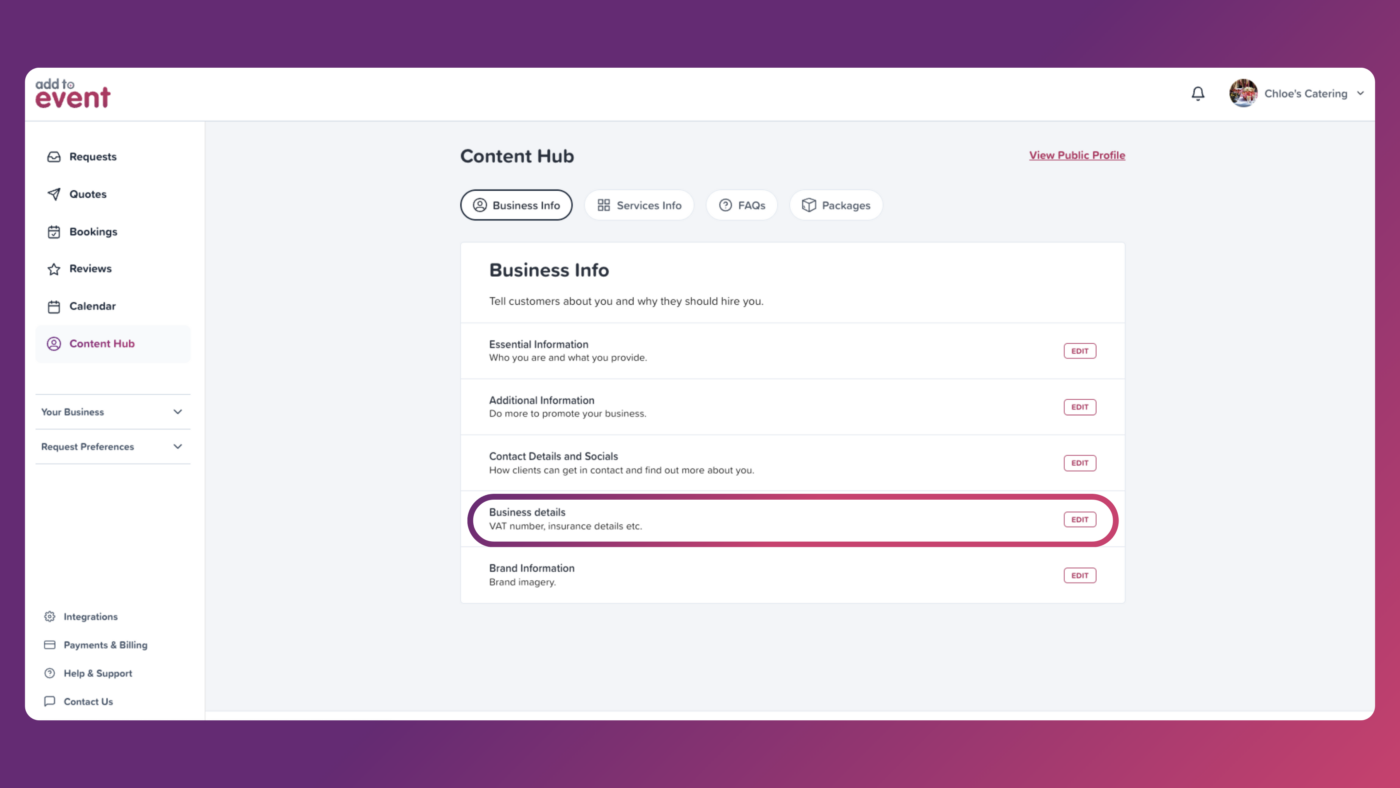
3. Under the “Business Info” tab, press “Edit” next to the “Business details” option.
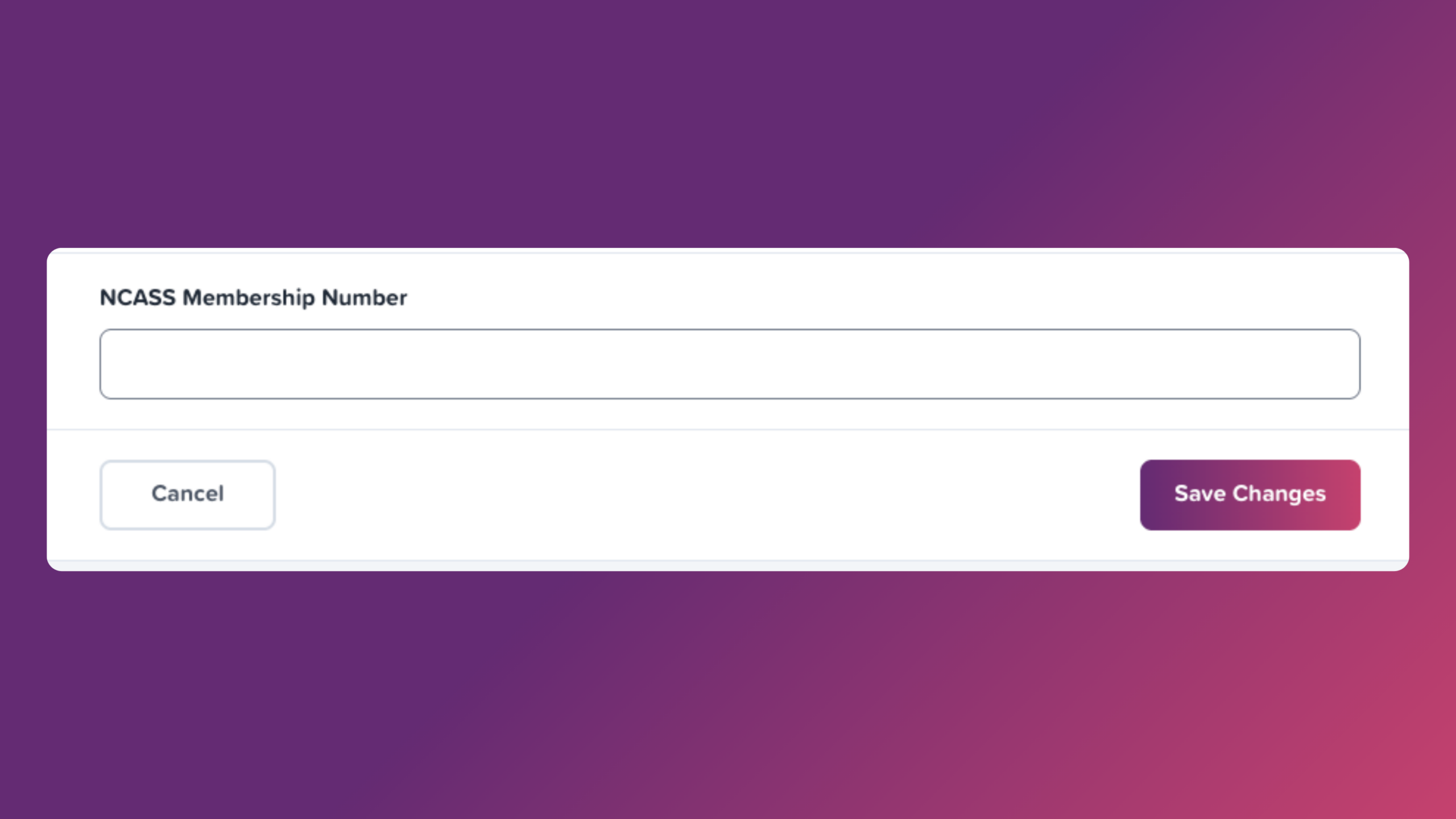
4. Scroll down to the field labelled “NCASS Membership Number.”
5. Type your membership number here and press “Save Changes.”
Add your NCASS Badge and boost credibility and visibility
Go to accountAdd to Event is the UK’s leading marketplace for event suppliers. It connects you directly with people planning private parties, weddings, and corporate events—so you can receive and quote on real customer requests in your area.
We’ve partnered with Add to Event to help NCASS members grow their bookings, boost visibility, and connect with more customers—all through a trusted, supplier-first platform.
Add to Event suppliers receive requests for:
…and more! You can filter what you receive based on what suits your business.
You only use credits when you want to quote on a job. There are:
Once you’ve signed up via the NCASS partnership link, you’ll be asked to confirm your NCASS membership number. Our team will verify your account and activate your badge.
If you’re already an Add to Event supplier, you can still access the NCASS perks. Just fill in your NCASS number here to claim your badge and unlock your credits.







 Featured Training