
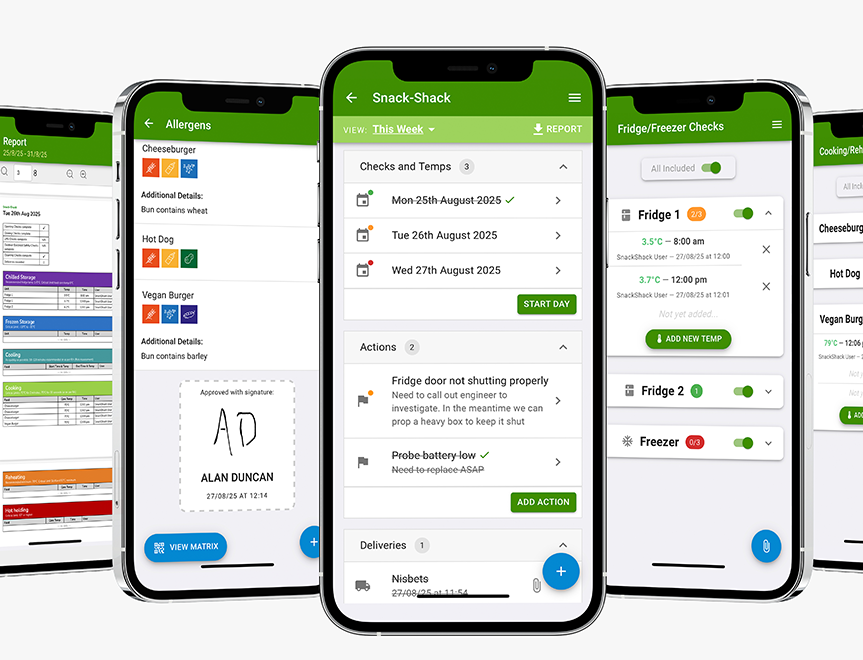
Digital Food Safety System
Save time, reduce hassle and keep your business inspection-ready.
Digital Food Safety System
Short videos showing you how to get ready, set up the app and use it every day. Pick the one you need, press play, and follow along.
Start Here Setting Up the AppAlready up and running? Go to Day to Day videos
Step 1: In Your Member Dashboard
The app needs two things in place first. Both are done in your member dashboard:
✓ Set up your unit or premises
✓ Complete your risk assessments: food safety, health and safety, and fire safety
Once they’re done, log in to the app and you’re ready to go.
Go to Your Member DashboardAlready done both? Skip to Setting Up the App
Step 2: In the App
Add your fridges, freezers and equipment so the right checks appear for each one.
Choose and tailor your checks so they match how your business actually runs.
Add your menu and ingredients so your records and allergen information stay accurate.
Keep allergen details up to date and use the allergen matrix built from your dishes.
Add your staff so everyone can log checks under their own name.
Set up your suppliers and record deliveries as they arrive.
Every Shift
Open your daily diary, work through it and sign the day off when you’re done.
Tick off your opening and closing checks quickly so nothing gets missed.
Record fridge and freezer temperatures in a couple of taps.
Log cooking, reheating, hot holding and cooling temperatures as you go.
Complete your electrical and gas safety checks and keep a record of each one.
Our team know the app inside out. Get in touch and we’ll talk you through it.
Get in Touch



 Featured Training
